
AI Calorie tracker and counter · Temfy Nutri · iPhone & Android
Calories and macros from a single photo
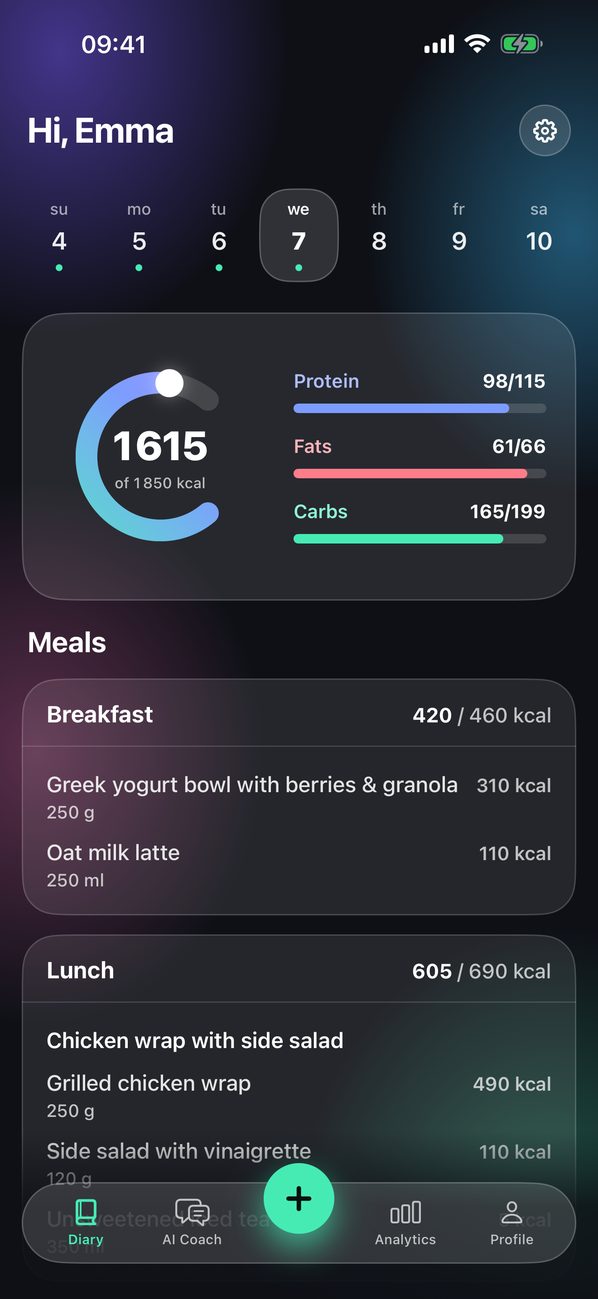
Snap your plate and the AI breaks the meal down into foods with estimated grams, calories, protein, fat and carbs. The app works out your daily targets, while the food diary, charts and body measurements show your progress. The diary is free, and so is your first photo recognition.
Snap it, log it
No hunting for every ingredient or weighing every bite: the AI gives an estimate, you check it and save.
Snap your meal
Take a photo of your plate or pick one from your library. Packaged food can be scanned by barcode.
AI breaks it down
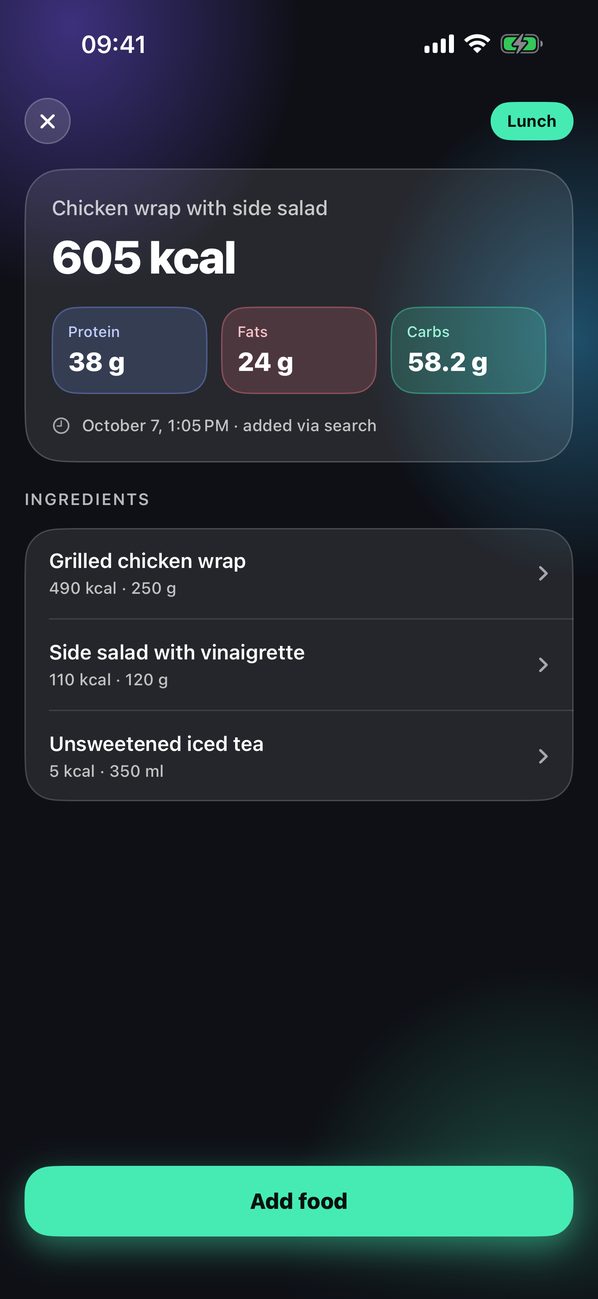
See what is in the shot: foods, estimated weight, calories and macros. Untick what you did not eat, adjust the portion.
Logged to your diary
The meal goes to breakfast, lunch, dinner or snacks — and the day is recalculated against your targets right away.
Features
Everything you need to count calories without spreadsheets or a notebook.
Personal calorie & macro targets
Sex, age, height, weight, body fat, activity and goal — and the app works out your daily calories, protein, fat and carbs. Weight-loss deficits stay within safe limits.
Search, barcode & custom foods
Search the food database, scan a barcode or create your own food — the app warns you if the calories do not add up with the macros.
Analytics, weight & measurements
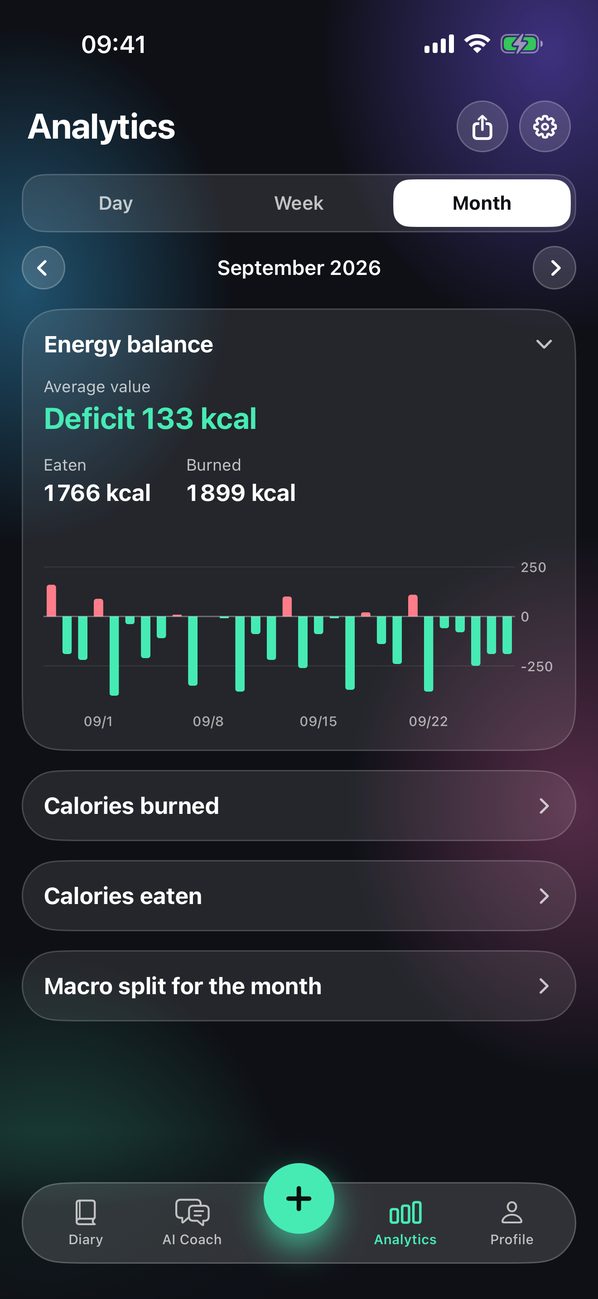
Calories and macros by day, week and month, a weight chart, body measurements (neck, chest, waist, hips…), BMI and body fat.
AI nutritionist
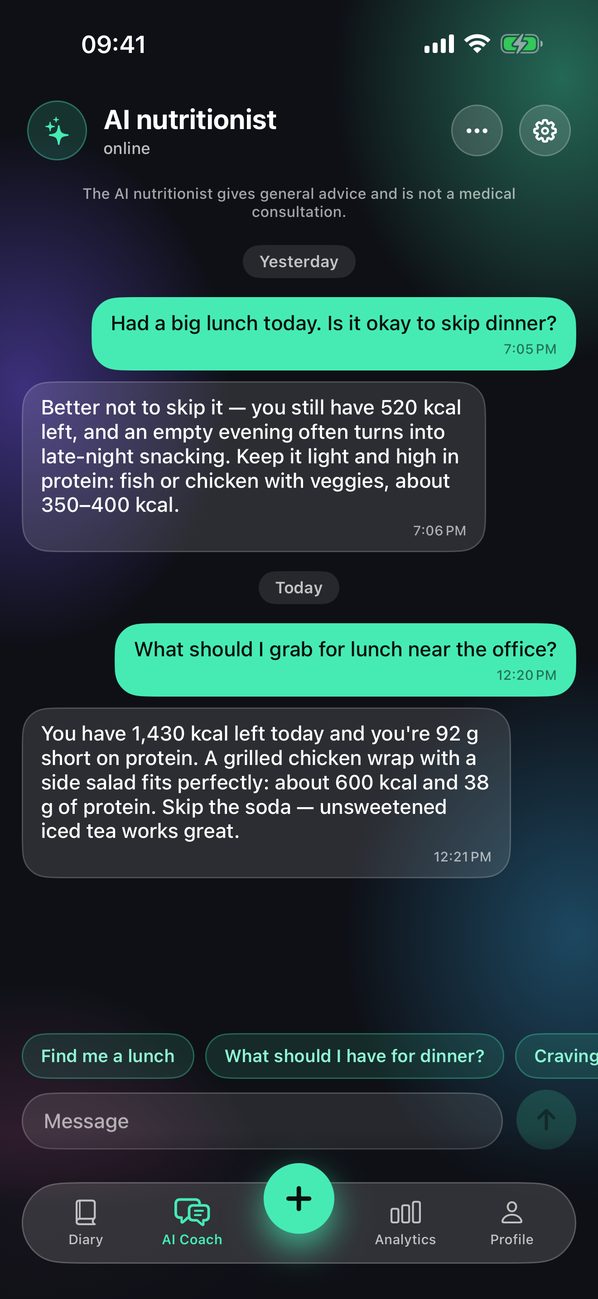
A chat that sees your diary and targets: reviews your day, suggests a lunch that fits your remaining calories, proposes new targets. 3 free replies, then with Pro.
How to get Pro
Three steps — no separate sign-up.
Pay on the website
Choose a plan, sign in with Apple and pay by card on a secure Stripe page. Prefer the App Store? Subscribe in the iPhone app instead — the price in your local currency is shown before you pay.
Install the app
Get Temfy Nutri from the App Store if you have not yet — it is listed as “AI Calorie tracker and counter”.
Sign in in the app
On iPhone, sign in with the same Apple ID you used to pay, and Pro turns on by itself. It renews automatically; cancel anytime on the Manage subscription page. On Android, Pro is temporarily not sold.
Temfy Nutri FAQ
What is Temfy Nutri?
Temfy Nutri is a calorie and macro counter for iPhone and Android that recognizes food from photos. On the App Store it is called “AI Calorie tracker and counter” (formerly Calorix). It works out your daily targets, keeps a food diary, shows charts, weight and body measurements, and its AI nutritionist helps you make sense of your eating. In the Android version, photo recognition and the AI nutritionist are temporarily unavailable. Made by Artem Sharubin.
How accurate is counting calories from a photo?
It is an estimate, not a food scale: the AI cannot see cooking oil, sauce inside a dish or the exact portion weight. After recognition you can untick foods, adjust grams and add an ingredient. More in how to count calories from a photo.
Where do my photos and data go?
Your diary, weight, measurements and chat history are stored on your phone. Meal photos and questions to the nutritionist are sent to a server for AI analysis — recognition cannot work without it — and are not used for advertising. No sign-up or account needed.
How much does Temfy Nutri cost?
The app is free to download; the diary, food search, barcode scanner, analytics and measurements are free. Photo recognition and the AI nutritionist are part of Temfy Nutri Pro — you can try them free: one photo recognition and three nutritionist replies. Pay for it by card on this website (prices in US dollars) or subscribe in the iPhone app through the App Store (prices in your local currency are shown before you pay).
Is Temfy Nutri available for Android?
Yes. The Android version installs from the website as an APK: Temfy Nutri for Android (Android 8.0 or newer). In the Android version, photo recognition and the AI nutritionist are temporarily unavailable and will return in an upcoming update; the diary, food search, barcode scanner and statistics work. Pro is not sold on Android for now either.
Does it work with Apple Health and Health Connect?
Yes. The app shows calories burned and steps from the Health app on iPhone (Health Connect on Android), and workouts you add manually are saved there too.
How do I pay for Temfy Nutri Pro?
By card on this website: plans and payment — sign in with Apple and pay on a secure Stripe page; cancel on the Manage subscription page. Or on iPhone, in the app through the App Store with your Apple ID — cancel in Settings → your name → Subscriptions. On Android, Pro is temporarily unavailable. Step by step: how to get Temfy Nutri Pro.
Can I pay without the App Store?
Yes. Temfy Nutri Pro — photo recognition and the AI nutritionist — can be bought on this website by card (Visa, Mastercard and other international cards) on a secure Stripe page, with prices in US dollars. How it compares with other photo calorie counters: Cal AI, SnapCalorie, MyFitnessPal and Temfy Nutri compared.